
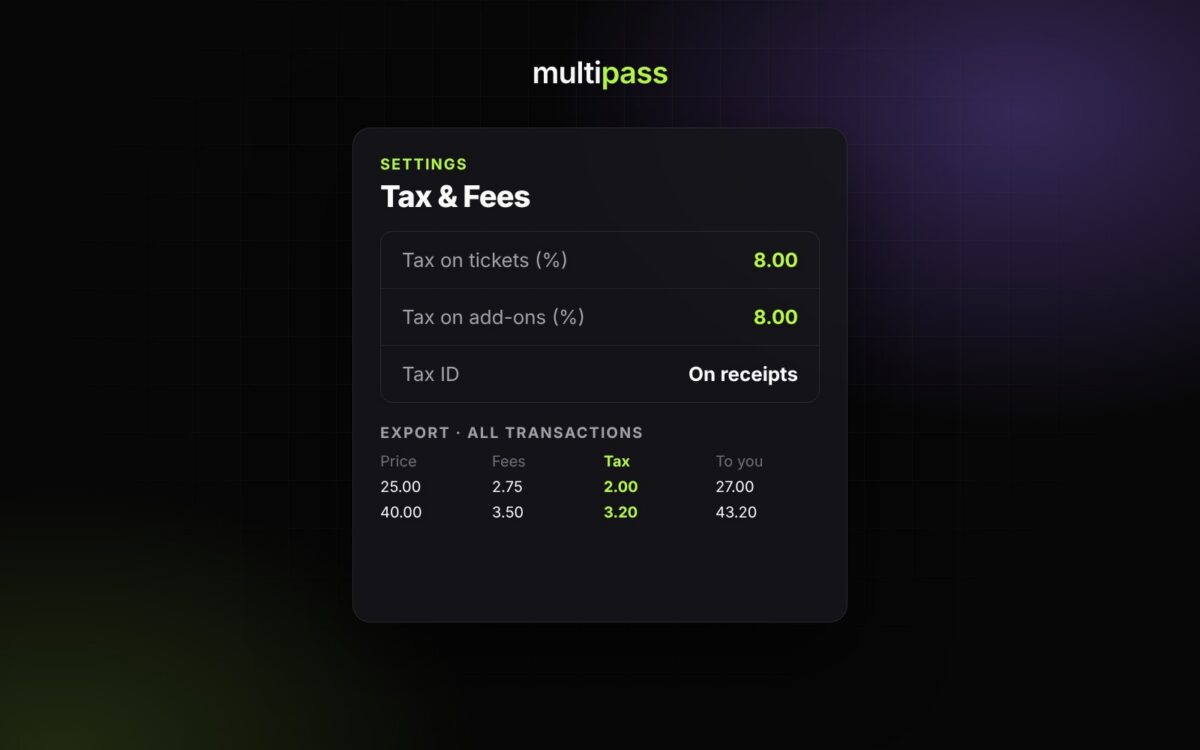
Sales tax on tickets depends on where your event is and what kind of event it is, so there’s no single rate that works for everyone. Multipass lets you set your own rate for each event, collects it at checkout and shows you exactly what you collected. This guide covers how it works. It isn’t tax advice, so check with your accountant about what applies to you.
Do you need to charge sales tax on tickets?
Many states tax admission to events, and some cities and counties add their own tax on top. Rules can change with the type of event, whether it’s a nonprofit event and where it takes place. Check with your accountant or your state’s revenue department before you go on sale, because it’s much easier to get the rate right up front than to sort it out after the event.
Set your tax rate
- Open your event and go to Settings → Tax & Fees.
- Enter Tax on tickets (%) and Tax on add-ons (%) if your add-ons are taxed differently.
- If one ticket type needs a different rate, or no tax, open that ticket type’s Advanced Settings and set its own tax percentage or mark it tax exempt. A ticket type’s own rate wins over the event’s.
- Add your Tax ID, its type (for example EIN, VAT or GST) and country so it prints on receipts.
Set this before tickets go on sale. If you don’t enter a rate, no tax is collected. Tax is worked out on the price after any promo code discount.
What buyers see at checkout
Buyers see every fee and the tax before they pay. If you use inclusive pricing, the price you advertise already includes every fee and the tax, and Multipass works the tax out of that price for your records.
Where the tax money goes
The tax is part of the buyer’s payment to your own Stripe account, so it’s paid out to you instantly along with the rest of the sale. Because the money comes to you, you’re responsible for reporting and paying the tax to your state and city. Multipass and Stripe don’t file it for you.
Find the tax you collected
Stripe sees each purchase as one total, so Stripe’s payment and payout reports won’t show the tax separately. Your Multipass reports are where the tax amount lives:
- One event: open the event and go to Reports → Sales Breakdown to see the tax on each ticket type and add-on. For a spreadsheet, go to Reports → Exports → Tickets sold, which has Tax, Total Charged and To Organizer columns.
- All your events: in your dashboard, go to Reports → Exports → All transactions (finance). Every ticket, add-on and membership line has its own Tax column.
Hand those exports to your accountant when it’s time to file.
Door sales and Form 1099-K
Card sales at the door through the Multipass app are priced the same way as online sales, tax included. Cash sales you record in the box office don’t include tax, so keep track of those separately.
Stripe may send you a Form 1099-K. That form reports your total card payments for income tax. It isn’t a sales tax report, so use the Multipass exports for sales tax.
Learn more: Stripe, Payouts, Fees & Sales Tax · Reports & Analytics · How payouts work on Multipass
Sell tickets with Multipass
Multipass is free for organizers. Attendees pay the service fee by default, so you keep 100% of your ticket price and get paid instantly, or you can choose to absorb the fee. Start selling tickets.