
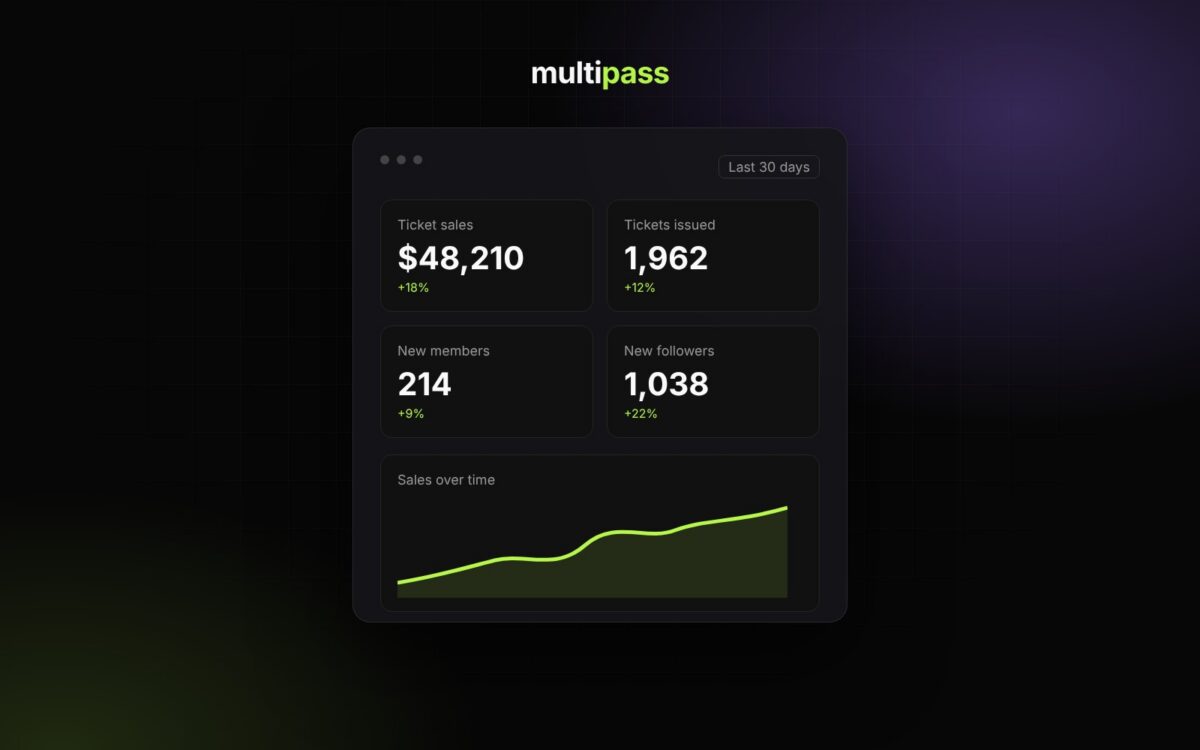
Multipass has a new look and a refreshed organizer dashboard, and a lot of what’s underneath is new too. If you’ve sold tickets with us before, everything you had is still there, it’s just easier to find. If you’re new, this is the quick tour of what Multipass does and where to find it.
Sell more and get paid instantly
100% of your ticket price with instant payouts
You connect your own Stripe account and ticket payments land in it in real time, at the moment of purchase. Multipass never holds your funds. Organizers keep 100% of the ticket price with instant payouts to their own Stripe, and the attendee pays a service fee of 5% + $1.50 per ticket at checkout. Finance in your dashboard shows your available balance, incoming funds and payouts, and you choose how often Stripe pays out to your bank. There’s no subscription, no monthly fee and no contract, and free events are free.
Learn more: Stripe, Payouts, Fees & Sales Tax
Tracking links for every place you share
Create one tracking link and QR code for each place you share an event, like an Instagram bio, a flyer or a partner’s newsletter, and Multipass counts the visits and sales from each one. You can also make links that apply a promo code automatically, and add your own Google Analytics, Google Tag Manager or Facebook Pixel IDs to any event.
Learn more: Marketing: Email, Text & Tracking
Promoters and partners, paid automatically
Open your event to promoters or invite the ones you want, then pick the commission plan they earn on. When someone buys through a promoter’s link, the commission is held back from that sale and paid out daily to the promoter’s own Stripe account, so you never handle their money or run a spreadsheet at the end of the night. Promoters in your dashboard shows who’s promoting and the plans they’re on. If you split an event with partners or stakeholders, their revenue share is held back from each sale and paid to them the same way.
Learn more: Promoters & Revenue Sharing
See what’s working and what isn’t
Reports include real-time analytics for your whole organization and every event, with no setup. Pick the last 7, 30 or 90 days to see your funnel from page view to added tickets, checkout and paid order, so you can see where buyers drop off. Orders and revenue are broken down by channel, referring site, UTM source and campaign, device and country, so you know which posts, partners and promoters are actually selling tickets. Sales by event, transactions, top customers, headcount and exports are all in the same place.
Learn more: Reports & Analytics
Your brand and your community
Your brand, not ours
Every organization gets its own branded site at yourname.multipass.com with your colors, logo, background art, about page, galleries, calendar and contact info. And with the new website embed you can sell tickets right on your own website, so buyers browse, check out and pay without leaving your page. It works with WordPress, Squarespace, Wix and most site builders that have a custom HTML block.
Learn more: Your Branded Page & Custom Design and Sell Tickets on Your Website
Memberships tied to your tickets
People can attend, follow or become members. Followers get your announcements for free, and memberships can be free or paid, recurring or lifetime. Memberships are the foundation for member pricing, early access and private events, so the people who show up every time get something for it and you get recurring revenue on top of ticketing.
Learn more: Memberships & Followers
The conversation keeps going after the RSVP
Each event can have a Community Hub, a ticket-holders-only chat that keeps attendees engaged between the announcement and the doors opening. It’s also where last-minute updates land on event day.
Run your events with less work
A dashboard built around your organization
The new dashboard home shows your total sales, members, followers and promoters, quick actions for promo codes, team members and newsletters, and every upcoming event with tickets issued, page views and revenue. Click Manage on any event and it opens its own dashboard with tickets, attendees, marketing, promoters, the Community Hub, reports, finance, team and box office.
Learn more: Getting Around Your Organizer Dashboard
Reserved seating
Seat maps let you sell a whole table or section as one item for a group, or sell seat by seat. It works for theaters and seated shows, and just as well for VIP tables, booths and reserved sections at nightlife events.
Less setup for repeat events
If you run the same kinds of events again and again, save your ticket types and checkout questions once in a Ticket Type Library and apply them to any event in a few clicks.
Learn more: Ticket Type Library & Checkout Questions
Know an organizer? Earn with Multipass
Refer an event organizer or party host and earn 10% of our service fees on every ticket they sell for as long as they use Multipass, paid out daily. You’ll find your referral link under Earn with Multipass in your account menu.
Learn more: Earn with Multipass (Referral Program)
Get started
Creating an account is free. Start selling tickets, or walk through Create Your First Event in the help center.