
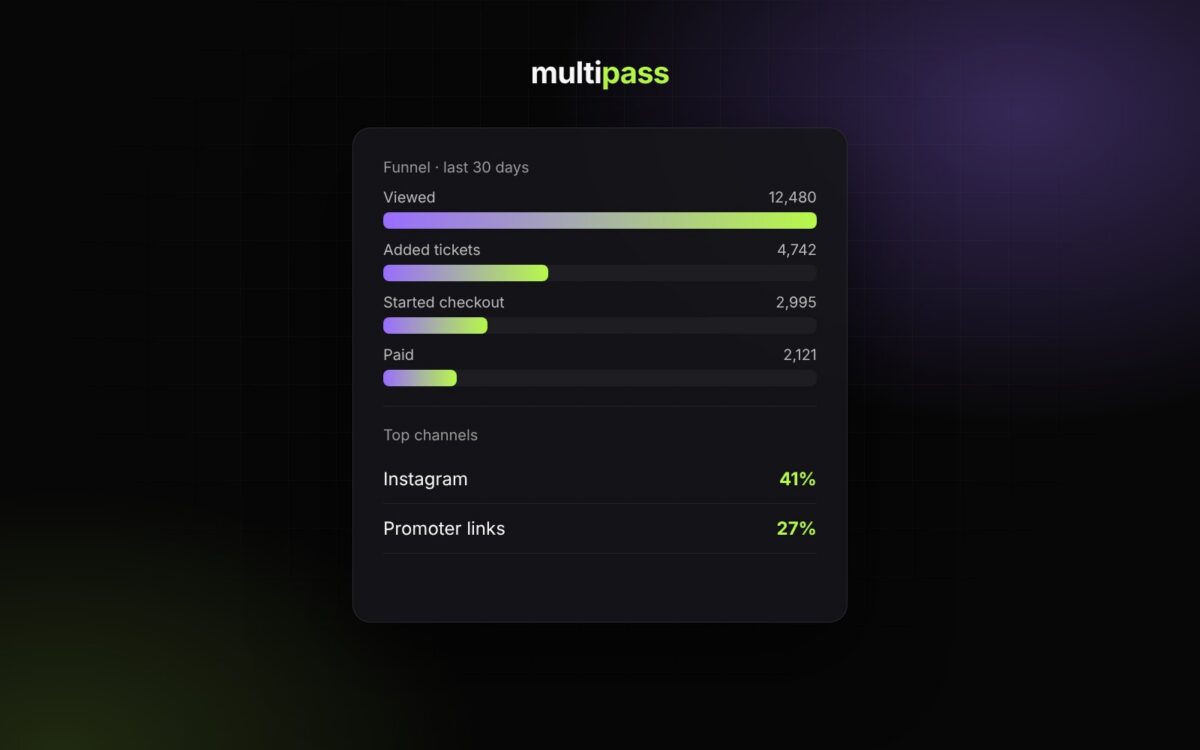
Knowing what sold tickets is how you sell more next time. Multipass has real-time analytics built in for your whole organization and every event, with no setup.
See your whole funnel
In your organizer dashboard, open Reports → Analytics and choose the last 7, 30 or 90 days. You’ll see how many people viewed your page, added tickets, started checkout and paid, so you can see exactly where buyers drop off.
Know which channels are working
Visitors, orders and revenue are broken down by channel, referring site, UTM source, UTM campaign, device, browser and country. If a post, a partner or a promoter is driving sales, you’ll see it. If something isn’t, you’ll see that too. Click Export CSV to take the data anywhere.
Use tracking links for every place you share
Create one tracking link and QR code for each place you share an event, like your Instagram bio, a flyer or a partner’s newsletter, and Multipass counts the visits and sales from each one. You can also add your own Google Analytics, Google Tag Manager or Facebook Pixel IDs to any event.
Everything else in Reports
- Sales by Event: the ticket total for every event
- Transactions: every sale
- Top Customers: your biggest supporters
- Headcount: live tickets for each upcoming event, comps included
- Exports: customers, members, transactions, single-use promo codes and more
Learn more: Reports & Analytics and Marketing: Email, Text & Tracking
New to Multipass?
Start selling tickets for free.